Unlock Android Auto's Potential: Simple Tweaks for a Safer, Personalized Drive
Introduction
Android Auto has become an indispensable tool for millions of drivers worldwide, transforming car infotainment systems into extensions of their smartphones. Despite its widespread adoption, with over 250 million vehicles equipped, many users operate it with the default settings, overlooking a wealth of features designed to enhance safety, reduce distractions, and personalize the driving experience. This article delves into simple, yet impactful, modifications that can unlock the full potential of Android Auto, making every journey more efficient and enjoyable.
Key Details
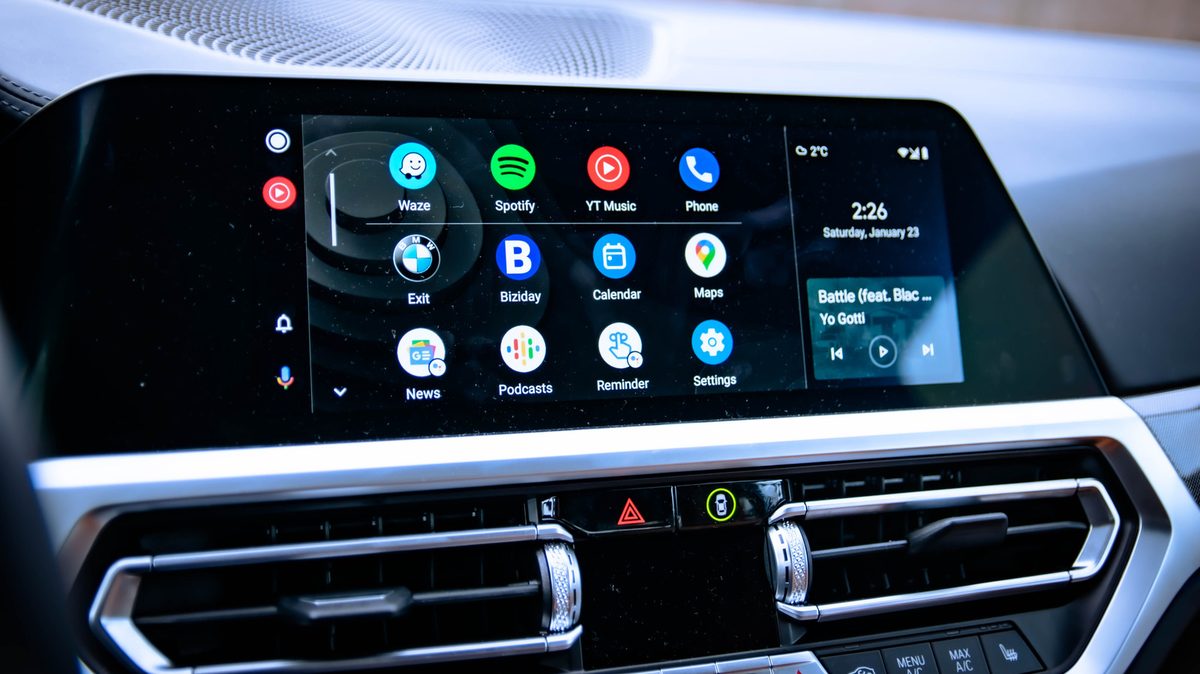
- Home Screen Customization: Users can declutter the Android Auto home screen by hiding unnecessary app icons, ensuring that only essential navigation, communication, and media apps are readily accessible. This reduces scrolling time and potential distractions.
- Developer Settings: Accessing hidden developer options allows for advanced configurations, such as forcing a wired or wireless connection preference and adjusting video resolution for optimal display quality, even on slower networks.
- Theme Control: Users can manually set the Android Auto interface to light or dark mode, overriding the automatic day/night switching. This is particularly useful for drivers who prefer a consistent visual experience, especially the eye-friendly dark mode.
- Automatic Startup: The system can be configured to launch Android Auto automatically upon connecting to the car, eliminating the need to manually unlock a phone or initiate the app, thus saving time and improving convenience.
- Media Playback Control: Users can disable the automatic resumption of media playback upon connection, preventing unexpected loud music or the continuation of podcasts/audiobooks at inopportune moments.
- Gemini AI Integration: Android Auto supports Google's Gemini AI assistant, allowing users to set up custom voice commands for complex tasks. This includes navigation with ETA sharing, smart home device control, and personalized information retrieval, streamlining interactions.
Background
Android Auto was developed by Google to provide a safer and more convenient way for drivers to use their Android smartphones while on the road. It mirrors essential smartphone functions onto the car's built-in display, including navigation, communication (calls and messages), and entertainment. The platform has evolved significantly since its inception, with Google continuously adding new features and refining the user interface to minimize driver distraction. While the core functionality remains focused on safety and usability, the depth of customization available often goes unnoticed by the average user. The sheer number of vehicles equipped with Android Auto underscores the importance of optimizing this technology for a diverse user base, from casual drivers to daily commuters.
Impact Analysis
Implementing these simple adjustments can lead to a demonstrably safer and more personalized driving environment. A cleaner home screen reduces the cognitive load on the driver, minimizing the time spent looking away from the road. Developer settings, while seemingly technical, can ensure a more stable and visually pleasing experience. The ability to control automatic media playback prevents startling interruptions. Perhaps the most significant impact comes from leveraging the Gemini AI assistant. By creating custom shortcuts for complex routines—such as navigating home, updating a contact on arrival time, and adjusting smart home devices—drivers can delegate multiple tasks to a single voice command. This not only saves time but also drastically reduces the need for manual interaction with the car's system, further enhancing safety. For instance, a command like “Navigate me home, check my ETA, and text my partner” consolidates several steps into one seamless action.
Broader Context
The push towards smarter, more connected vehicles has made driver interface technology a critical area of development. Android Auto, alongside Apple CarPlay, represents a significant portion of this ecosystem. As automotive manufacturers increasingly integrate these systems, the focus shifts from hardware to software optimization. Google's continuous updates, including the integration of advanced AI like Gemini, highlight a trend towards more proactive and intelligent assistance in vehicles. This move away from simple app mirroring towards AI-driven task automation reflects a broader industry goal: to make driving safer and more convenient by intelligently managing driver attention and interaction with technology. The ability to customize and automate tasks through voice commands is a key component of this future, aiming to reduce the mental and physical effort required to operate vehicle systems.
Future Outlook
The future of Android Auto likely involves deeper integration with vehicle systems and more sophisticated AI capabilities. As Gemini evolves, we can expect even more complex routines and personalized assistance to become available. Potential advancements could include predictive navigation based on traffic patterns and user habits, seamless integration with in-car diagnostics, and enhanced communication features that adapt to driving conditions. The ongoing competition between major tech players and the automotive industry will continue to drive innovation, aiming to create an intuitive and highly personalized in-car experience. As more cars become connected, the ability to customize and optimize platforms like Android Auto will become increasingly crucial for user satisfaction and safety.
Conclusion
Android Auto offers far more than its default settings suggest. By taking a few minutes to explore and adjust its customization options, including the home screen layout, developer settings, and the powerful Gemini AI assistant, drivers can significantly enhance their daily commutes. These simple changes contribute to a safer, less distracting, and more personalized driving experience, making Android Auto a truly indispensable tool for the modern driver. Empowering users to tailor the system to their specific needs ensures that this technology serves its ultimate purpose: to make driving better.
Source: engadget.com